About Course
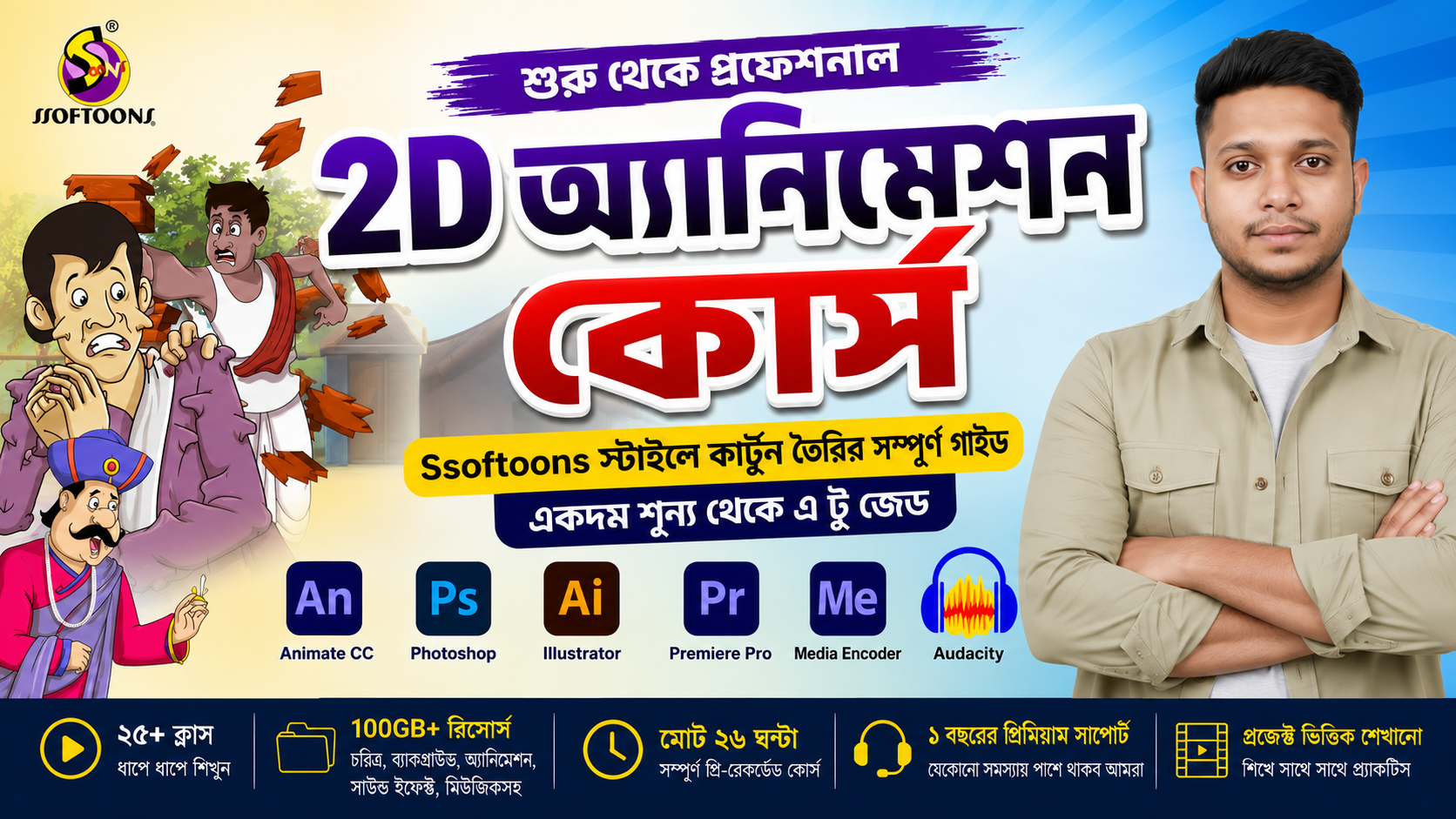
শুরু থেকে প্রফেশনাল 2D Cartoon Animation তৈরি শিখুন
Mahfuz Jamil-এর Ssoftoons Style 2D Animation Course-এ আপনাকে স্বাগতম।
এই কোর্সে আপনি শুরু থেকে শেষ পর্যন্ত একটি সম্পূর্ণ 2D Cartoon তৈরির পুরো প্রোডাকশন প্রসেস শিখবেন। আপনি যদি একেবারে নতুন হন অথবা YouTube-এর জন্য Ssoftoons স্টাইলে প্রফেশনাল কার্টুন ভিডিও তৈরি করতে চান, তাহলে এই কোর্সটি আপনার জন্য।
এখানে শুধু Animation নয়, একটি Cartoon Channel পরিচালনার জন্য প্রয়োজনীয় Character Design, Rigging, Background Design, Voice Editing, Video Editing, Thumbnail Design এবং YouTube Upload System পর্যন্ত সবকিছু ধাপে ধাপে শেখানো হয়েছে।
এই কোর্সে যেসব সফটওয়্যার শেখানো হবে
- Adobe Animate CC
- Adobe Photoshop
- Adobe Illustrator
- CapCut
- Adobe Media Encoder
- Audacity
প্রতিটি সফটওয়্যার কীভাবে ইনস্টল করতে হবে এবং বাস্তবে কীভাবে ব্যবহার করতে হবে তা বিস্তারিতভাবে দেখানো হয়েছে।
এই কোর্স থেকে আপনি যা শিখবেন
- শুরু থেকে সম্পূর্ণ 2D Animation তৈরির প্রক্রিয়া
- Adobe Animate CC-এর সম্পূর্ণ ব্যবহার
- Adobe Photoshop দিয়ে প্রফেশনাল Background Design
- Adobe Illustrator ব্যবহার করে Animation-এর জন্য Vector Graphics তৈরি
- Adobe Premiere Pro দিয়ে Final Video Editing
- Adobe Media Encoder ব্যবহার করে High Quality Export
- Audacity দিয়ে Professional Audio ও Voice Editing
- Male ও Female Character তৈরি এবং Rigging
- Reusable Character System তৈরি
- Walk Cycle Animation (Side, ¾, Front & Back View)
- বিভিন্ন ধরনের Character Pose তৈরি
- Day, Night, Lighting ও Color Setup
- AI ব্যবহার করে দ্রুত Background তৈরি
- Professional Animation Workflow
- Script Writing ও Background Music নির্বাচন
- Thumbnail Design
- YouTube Video Upload System ও গুরুত্বপূর্ণ Guidelines
Bonus Resources
প্রতিটি শিক্ষার্থী পাবেন 100GB+ Premium Animation Resources, যার মধ্যে রয়েছে—
- 2,000+ Editable Characters
- 2,000+ Background Assets
- Ready-to-use Animation Files
- Props ও Objects
- Adobe Animate Source Files
- Photoshop PSD Files
- Sound Effects
- Copyright-Free Background Music
- বিভিন্ন Production Resources
এই কোর্সটি যাদের জন্য
- সম্পূর্ণ নতুন (Beginner)
- YouTube Cartoon Creator
- 2D Animator হতে ইচ্ছুক
- Freelancer
- Student
- Content Creator
- যারা Ssoftoons Style-এ প্রফেশনাল Cartoon Animation তৈরি করতে চান
Requirements
- একটি Windows PC বা Laptop
- Animation সম্পর্কে পূর্ব অভিজ্ঞতা থাকা বাধ্যতামূলক নয়
- সকল প্রয়োজনীয় সফটওয়্যার ইনস্টলেশন এই কোর্সে দেখানো হয়েছে
এই কোর্সটি শেষ করার পর আপনি নিজেই শুরু থেকে শেষ পর্যন্ত একটি সম্পূর্ণ Ssoftoons Style 2D Cartoon তৈরি করতে পারবেন।
Character Design, Rigging, Animation, Background, Voice Editing, Video Editing, Thumbnail Design এবং YouTube-এ Publish করা পর্যন্ত পুরো কাজ একাই করতে সক্ষম হবেন।
Course Content
Module 1 – Getting Started
-
Class 1 – Animation Introduction & Software Installation
30:48 -
Class 2 – Adobe Animate CC Basics
01:29:28
Module 2 – Character Creation & Rigging
Module 3 – Walk Cycle Animation
Module 4 – Background Design
Module 5 – Production Workflow
Resources
Student Ratings & Reviews